
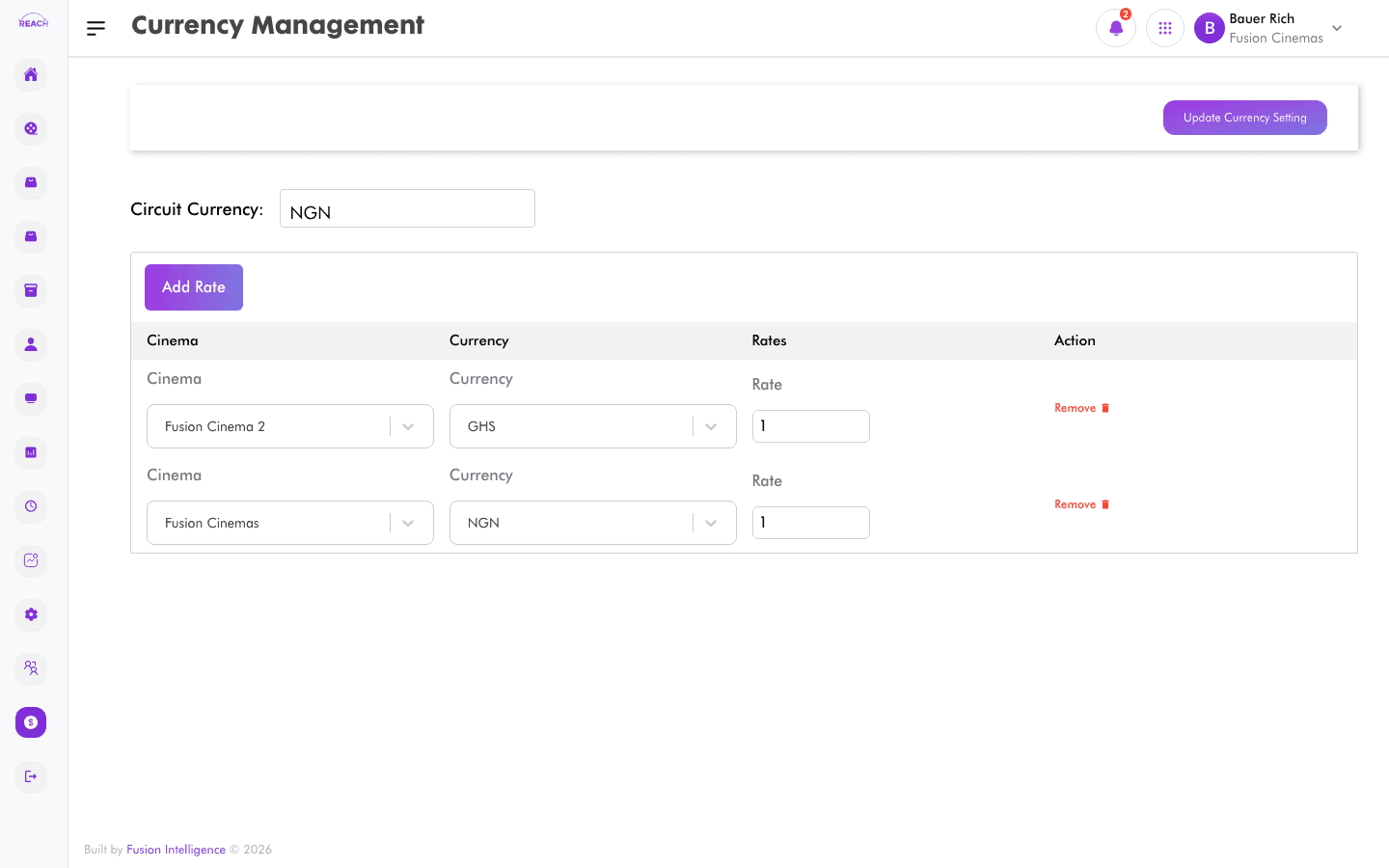
Currency Management defines which currencies a cinema uses and the exchange rate applied to each. This keeps pricing and reporting consistent when a cinema trades in more than one currency.
Before you start
- Know the currencies your cinemas accept and the rates you want to apply.
How to add a currency rate
- Open Financial Management → Currency.
- Add a new entry and complete:
- Cinema — the cinema the rate applies to.
- Currency — the currency to configure.
- Rate — the exchange rate.
- Save.

Columns
| Column | Description |
|--------|-------------|
| Cinema | The cinema. |
| Currency | The currency. |
| Rates | The configured exchange rate. |
| Last Changed Date | When the rate was last updated. |
| Action | Edit the rate. |