
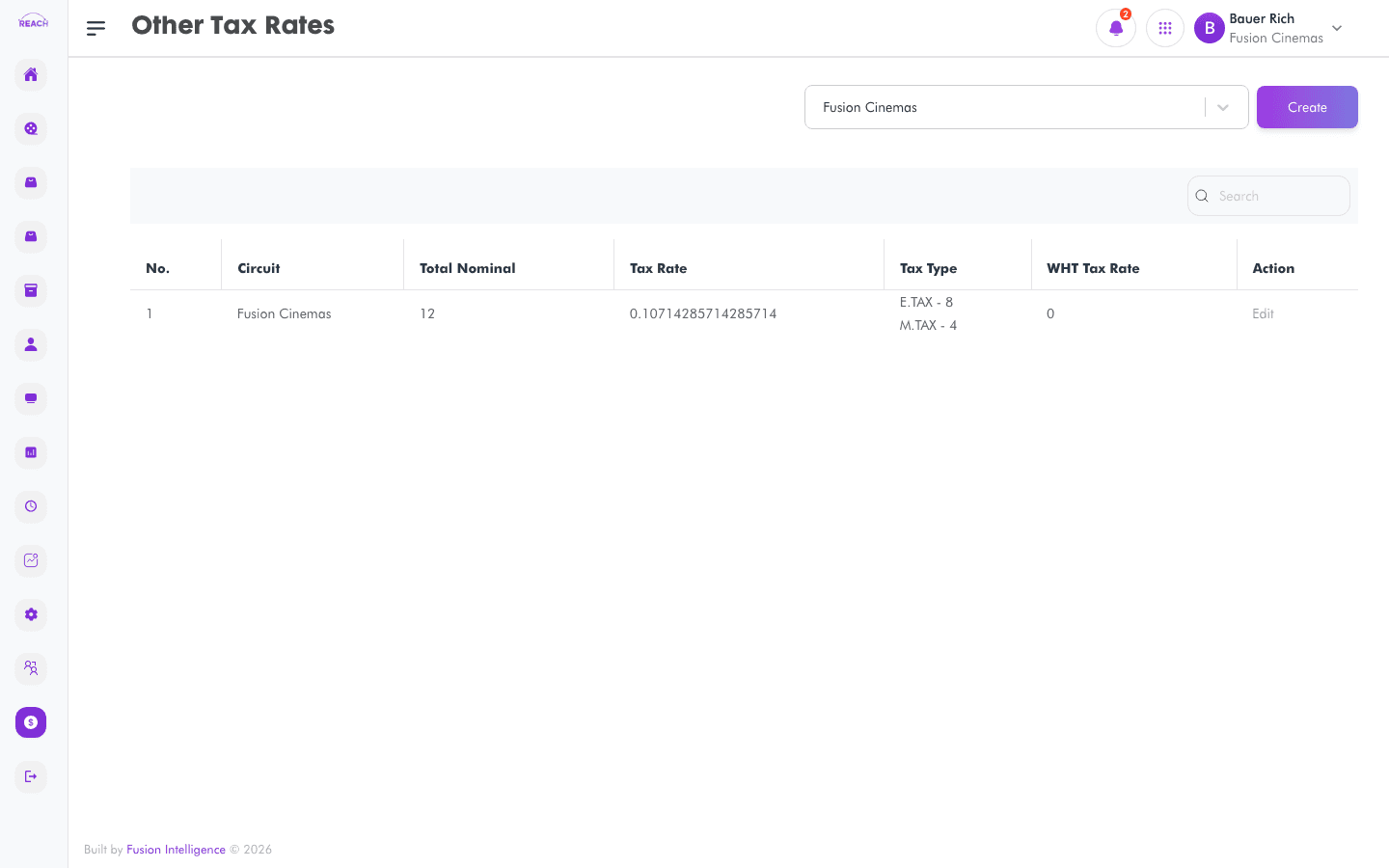
Other Tax Rates are additional tax rates beyond the cinema's default — used where a particular ticket, item, or contract needs a different rate. This screen lists other tax rates and lets you create and edit them.
Before you start
- Set the standard rate in Default Tax Rates first.
- Other rates can be selected explicitly on forms such as Film Contracts.
How to create another tax rate
- Open Financial Management → Other Tax Rates, then create a new one ("Create New Tax Rate").
- Complete the form:
- Cinema — the cinema the rate applies to.
- Name of Tax — the tax's name.
- Tax Amount — the tax percentage.
- WHT Tax Rate — the withholding tax rate, where applicable.
- Save. Use the row action to open "Update Tax Rate" and edit.

Field reference
| Field | Description |
|-------|-------------|
| Cinema | Owning cinema. |
| Name of Tax | Tax name. |
| Tax Amount | Tax percentage. |
| WHT Tax Rate | Withholding tax rate. |