
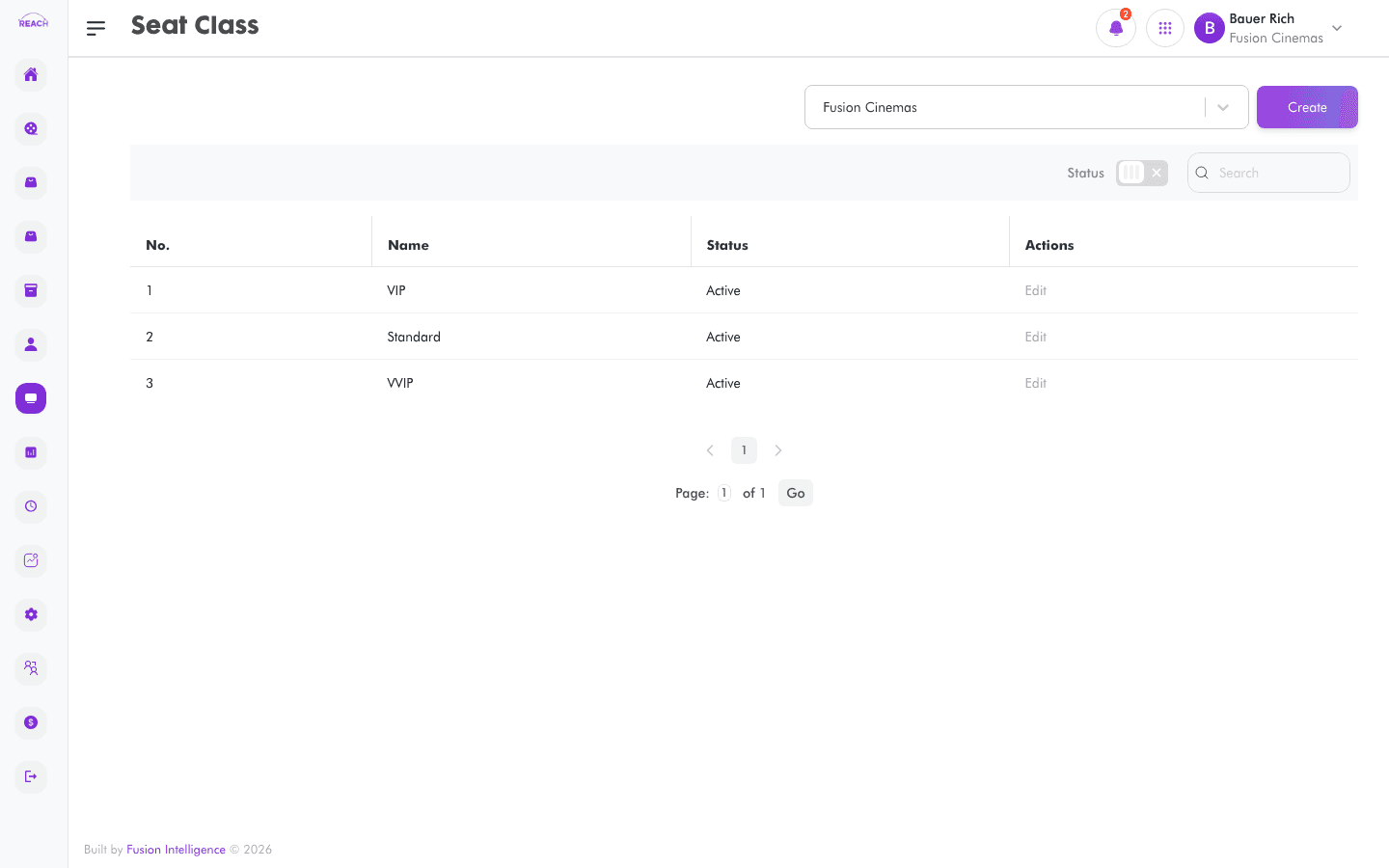
A Seat Class groups seats into a category — such as Standard or Premium — that tickets and screen layouts reference. Seat classes can also carry a rule that releases held seats after a set time. This screen lists seat classes and lets you create and edit them.
Before you start
- Select the cinema with the cinema selector — seat classes are scoped to it.
- Seat classes are assigned to seats in the Screens layout and mapped to Tickets.
How to create a seat class
- Open Screens → Seat Class, then click to create ("Create Seat class"). Use Back to Seat class to return.
- Select the cinema with the cinema selector.
- Complete the form:
- Name — the seat class name.
- Seat Class Rule — Time Bound or none.
- Active Value (mins) — shown only for Time Bound; the number of minutes the rule stays active (e.g. how long seats are held before release).
- Status — Active or Inactive.
- Inform Cinema When Booked — Active/Inactive; notify the cinema when a seat in this class is booked.
- Click Save. You'll see "Created a new seat class successfully."

Field reference
| Field | Description |
|-------|-------------|
| Name | Seat class name. |
| Seat Class Rule | Time Bound or none. |
| Active Value (mins) | Duration in minutes (Time Bound rule only). |
| Status | Active / Inactive. |
| Inform Cinema When Booked | Whether to notify the cinema on booking. |