
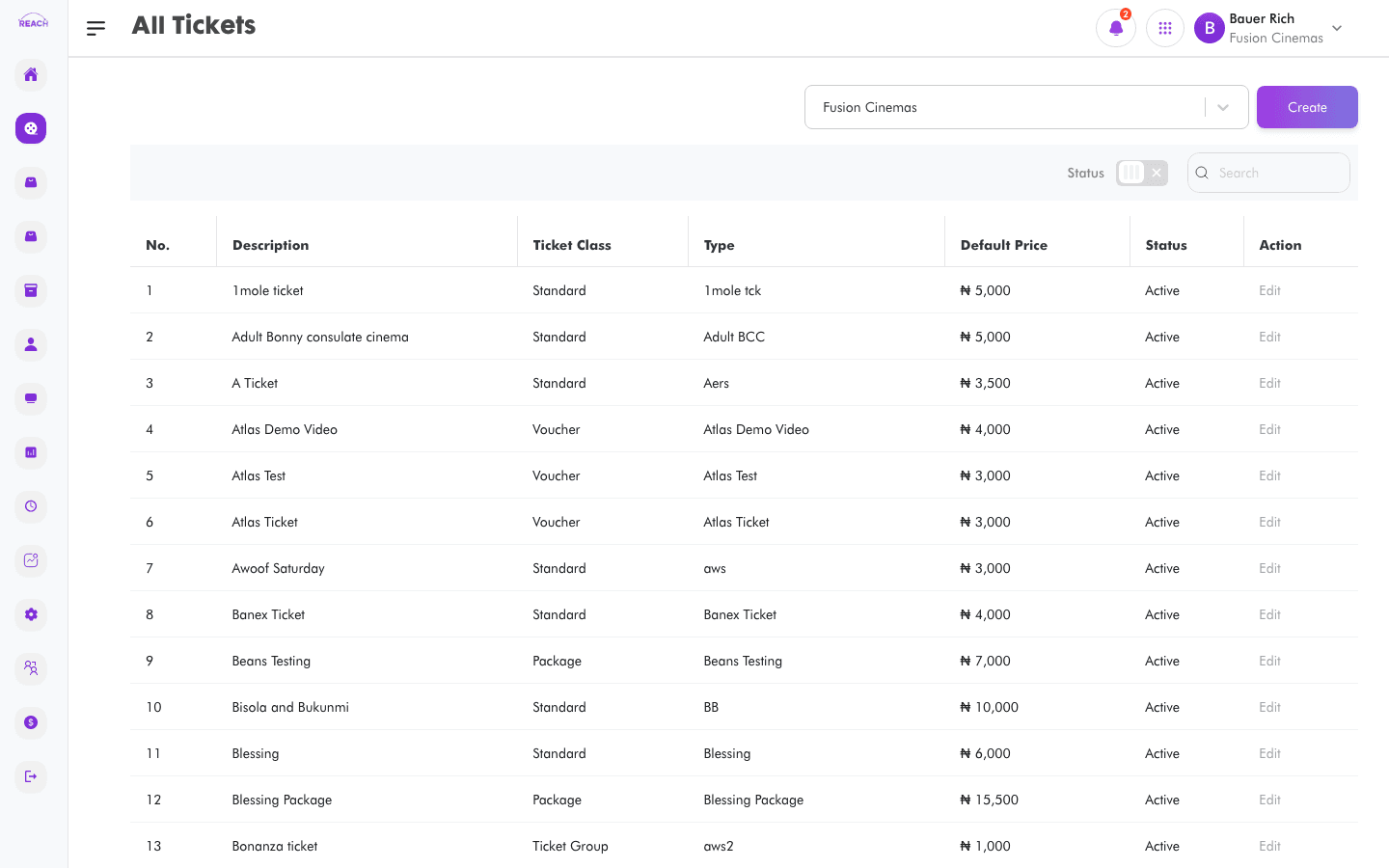
Tickets are the admission products a cinema sells. This screen lists all ticket types and lets you create standard tickets, package tickets (admission bundled with concessions), and voucher-only tickets.
Before you start
- Set up seat classes for the cinema if you want to tie a ticket to one — see Seat Classes.
- Package tickets bundle items, so have your Items created first.
- Ticket sources determine which sales channels can sell the ticket (POS, online, kiosk, etc.).
How to create a ticket
- Open Film → All Tickets, then click Create Ticket ("Back to Tickets" returns to the list).
- Fill in the Ticket Details:
- Ticket type name — the full name of the ticket.
- Short name — up to 20 characters, used for quick identification.
- Cinema — the cinema this ticket belongs to.
- Seat Class — the seat class it maps to (or none). Relies on seat allocation set up under Screens.
- Ticket class — Standard, Package, or Voucher (see below). Locked once a cinema is chosen / for existing tickets.
- Price — selling price. For a Package, the price must equal the sum of its included items and tickets.
- Sales Tax (%) — tax percentage on the ticket.
- Status — Active or Inactive.
- Loyalty Ticket — Yes/No, whether it earns/uses loyalty.
- is Complementary (Standard) / is voucher Complementary (Voucher) — free-ticket flags.
- Open Ticket — Yes/No (shown for standard tickets on Canal cinemas).
- Ticket source — the channels allowed to sell it.
- For a Package, add the included tickets and items in the package selectors that appear.
- Click Save. You'll see "Ticket has been created. Check it out on the tickets table."

Ticket classes
| Class | Meaning |
|-------|---------|
| Standard | A standalone admission ticket. |
| Package | A ticket bundled with concessions/items. |
| Voucher | Can only be paid for with a voucher code. |
Package validation
- You must select at least one item and at least one ticket for a package.
- The package Price must equal the total of all included items and tickets, or Reach Head Office shows the required amount and blocks the save.