
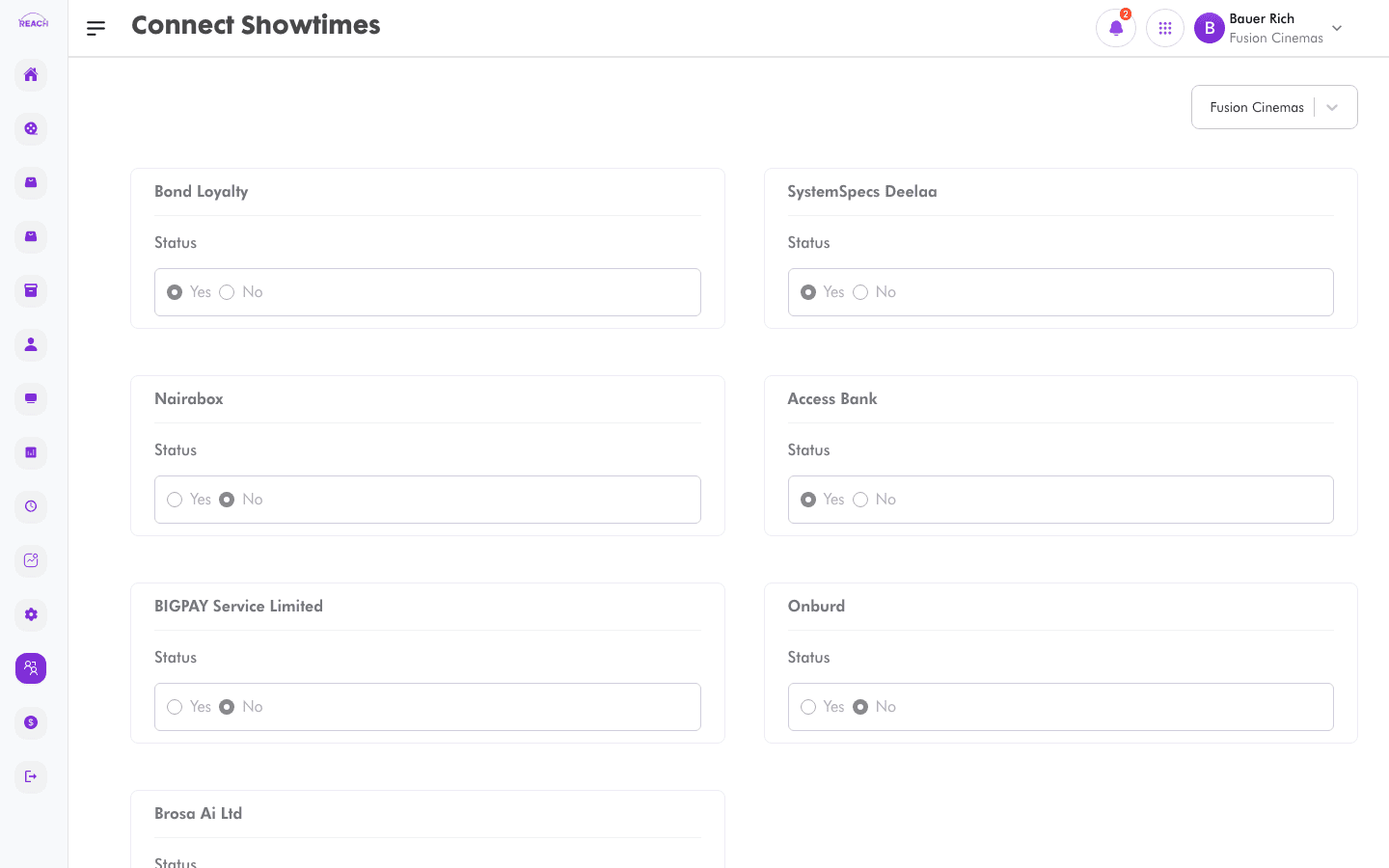
Connect Showtimes controls which Connect users (online sales partners integrated with Reach) are allowed to sell a cinema's showtimes. Use it to switch showtime access on for each partner.
Before you start
- Connect partners must already exist as Connect users.
- Select the cinema with the cinema selector — access is set per cinema.
- Schedule the showtimes first in Film Scheduling.
How to grant showtime access
- Open Connect → Showtimes.
- Select the cinema with the cinema selector.
- For each Connect user card, set Status (Yes/No) to grant or withhold showtime access.
- Click Update Connect Showtimes to save. A "Connect Showtimes updated" confirmation appears.
