
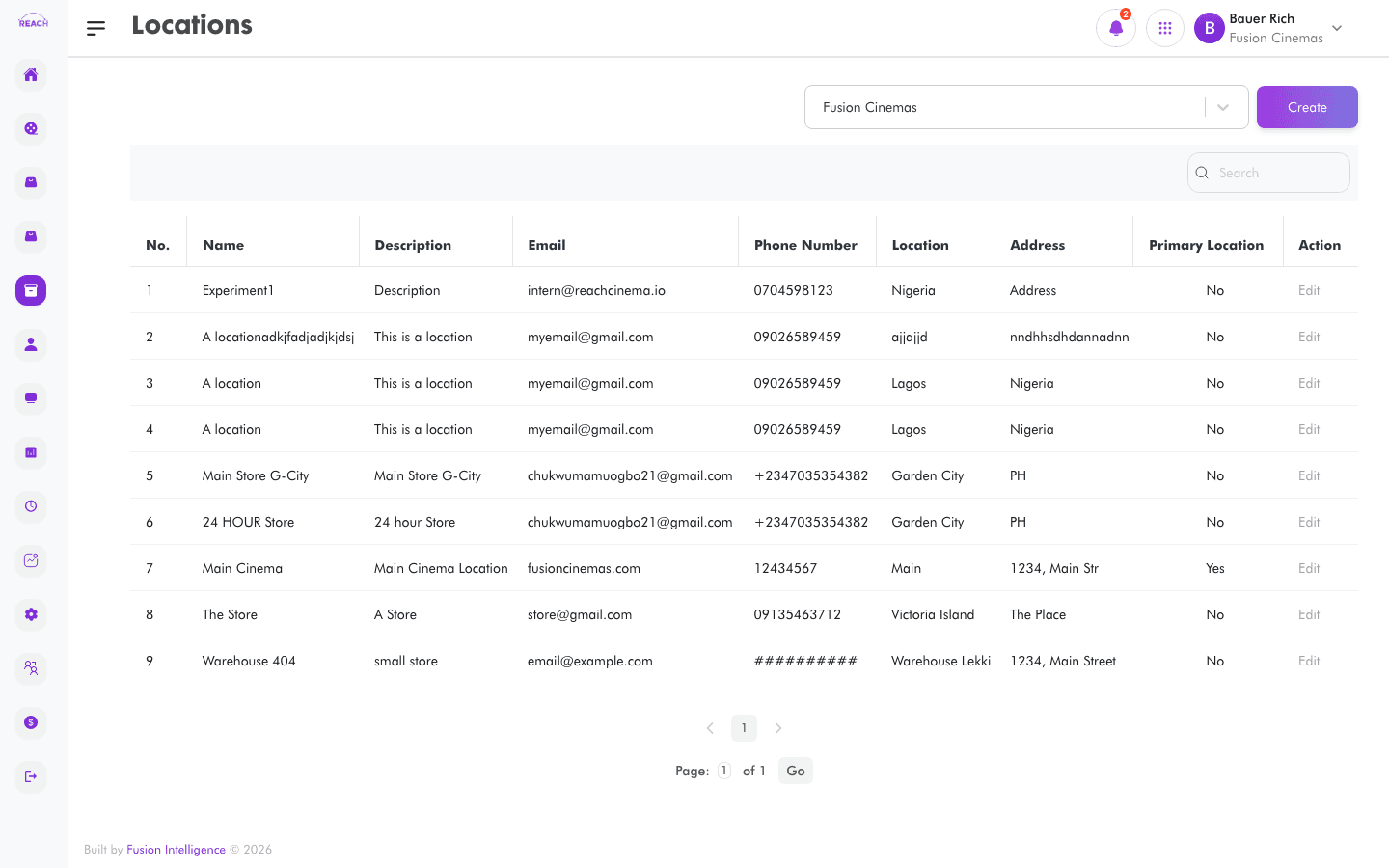
Locations are the stores and stock-holding points at a cinema (for example, a main store or a bar store). Stock requests, transfers, receipts, and takes all reference locations. This screen lists locations and lets you add and edit them.
Before you start
- A location belongs to a cinema, so make sure the cinema exists.
- Mark one location as the primary location for the cinema.
How to create a location
- Open Stock → Locations, then create a new one ("Create Location"). Use Back to Locations to return.
- Complete the form:
- name — location name.
- location — location identifier/label.
- Cinema — the cinema it belongs to.
- address, phone number, email.
- description.
- is Primary Location — mark this as the cinema's primary location.
- Save. Use the row action to open "Update Location" and edit.

Field reference
| Field | Description |
|-------|-------------|
| name | Location name. |
| location | Location label/identifier. |
| Cinema | Owning cinema. |
| address | Physical address. |
| phone number | Contact phone. |
| email | Contact email. |
| description | Free-text description. |
| is Primary Location | Whether it's the cinema's primary location. |