
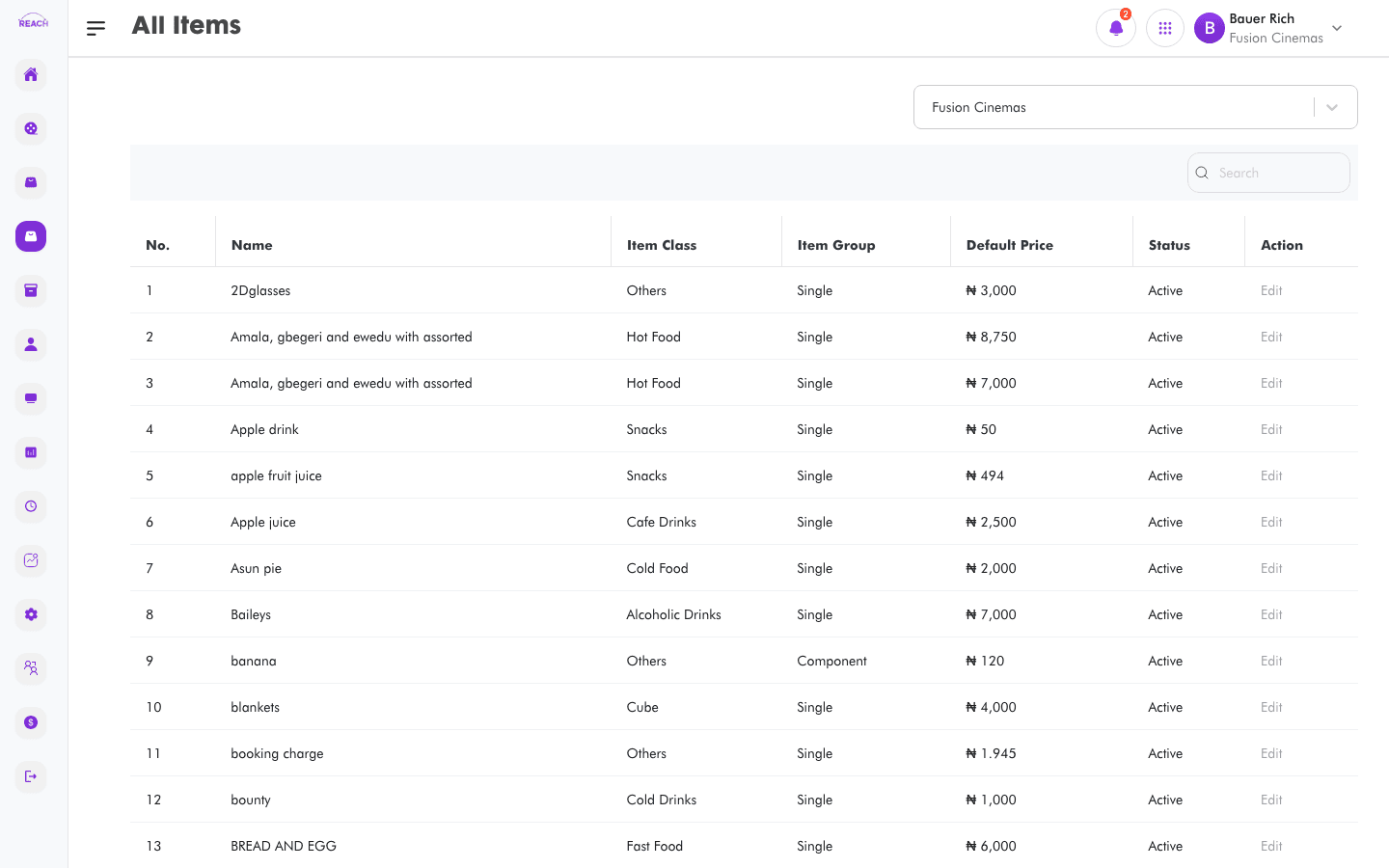
The All Items screen lists the sellable and stock items for the selected cinema. Open any item to edit its details, pricing, and where it can be sold. To create items across the whole circuit at once, use HO Items instead.
Before you start
- Choose a cinema with the cinema selector — the item list is scoped to it.
- Item classes, groups, and units of measure are supplied by Reach and chosen on the form.
- Items sold on POS/kiosk/online rely on the correct item source being selected.
How to view items
- Open Items → All Items.
- Select a cinema.
- Search and sort the table (sortable by Name).
Item table columns
| Column | Description |
|--------|-------------|
| Name | Item name. |
| Item Class | The item's class/category. |
| Item Group | Single, Parent, Package, Recipe, Component, or Sundry. |
| Default Price | Selling price (currency-formatted). |
| Status | Active or Inactive. |
| Action | Edit opens the item. |

How to edit an item
- Click Edit (or the row) to open "Update Item". Use Back to Items to return.
- Update the Item Details:
- Image — item image.
- Name and Short Name (max 20 characters, used for quick identification on the POS).
- item class — the category the item belongs to.
- item Group — Single, Parent, Package, Recipe, Component, or Sundry (see table below). Locked when editing.
- Unit of Measure — shown for non-parent/package items.
- cost price and selling price.
- Service area — Cinema, Fast Food, Cafe, or Arcade.
- Variable Price — (Single/Recipe) price can be modified at POS.
- Use Parent Price — (Parent) use the parent's price for its children.
- Status — Active/Inactive.
- Hide Item From Package — (Single) hide the item from receipts.
- item source — the sales channels allowed to sell the item.
- For Recipe, Package, and Parent groups, add the included/component items in the embedded items section.
- Click Save. A "Item Edit was Successful" confirmation appears.
Item groups
| Group | Meaning |
|-------|---------|
| Single | A standalone item. |
| Parent | A collection of similar items by feature or price. |
| Package | A bundle of items. |
| Component | An item that is part of a recipe (e.g. corn, oil). |
| Recipe | A collection of items used to produce another item (e.g. Popcorn from corn, oil). |
| Sundry | Non-sale items tracked by the system (e.g. packaging). |